

Landing the Perfect Sniper Shot: Deep Dive into DayZ Aimbot and FOV Customization
DayZ aimbot settings: FOV, aim distance, ignore filters, bone choice, FOV style, and the line to target. How each name behaves, without a snap recipe.
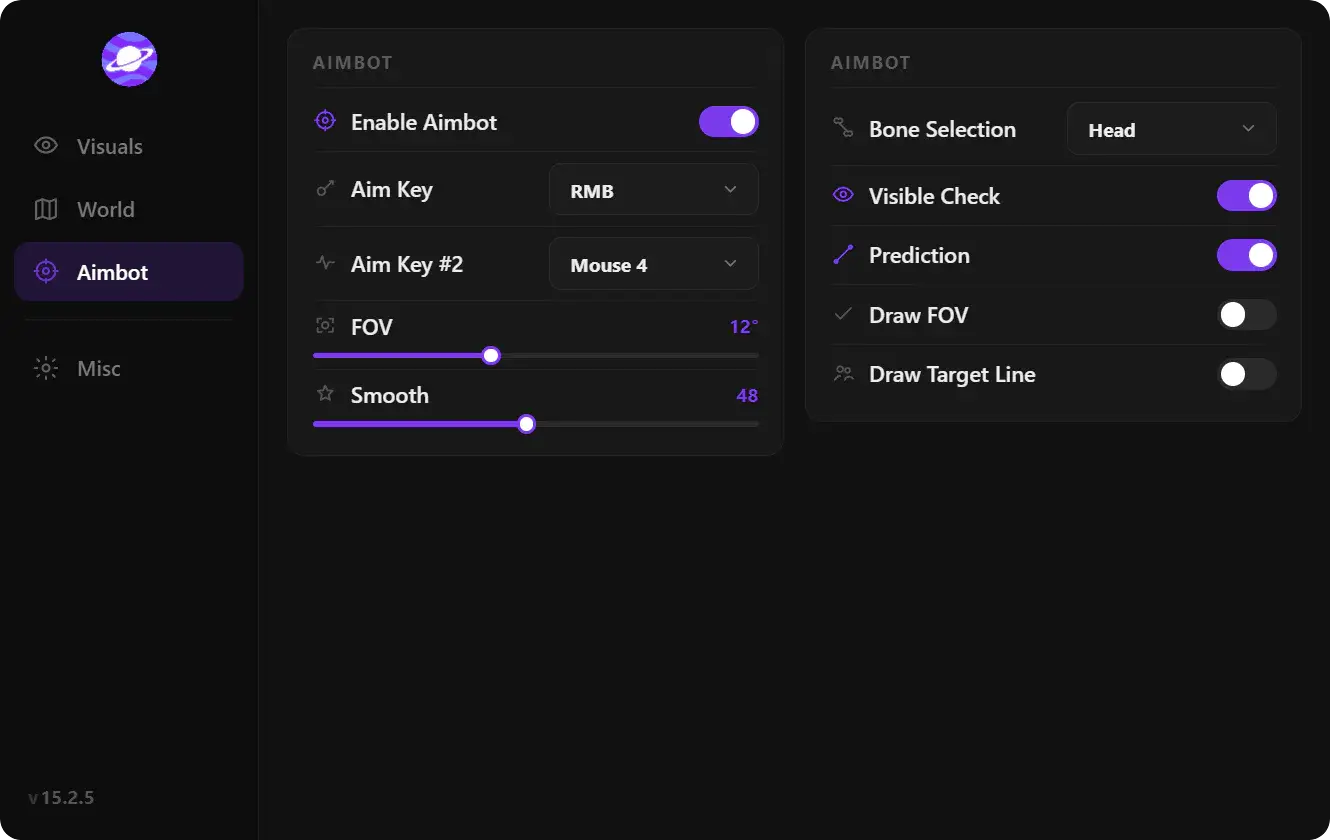
The DayZ aimbot group is a short list. This guide names every row the way the menu names it, and it says what to turn down when the assist feels too wide. It is not a recipe for a shot through cover. The same names, with one-line notes, sit on the loader feature list.
Toggle, FOV, and aim distance
Toggle Aimbot is the master switch. Leave it off while you set the rest. Customizable FOV is how wide the cone is around the crosshair. A tight cone stays near where you are already looking. A wide cone can grab a target you were not fighting, which is the usual complaint in a close infantry fight. Customizable Aim Distance is how far the assist will search. A long distance plus a wide FOV is the combination that feels like a snap. Shorten one of them before you change bone.
Ignore and bone
Ignore can skip players, infected, animals, or a mix. If you are sighting a player and the cone keeps sticking to a zombie or a deer, the ignore row is the first place to look, not a higher FOV. Bone is Nearest, Head, Neck, or Pelvis. Nearest is the calm default while you test. Head is not automatically better on a moving target at a long aim distance. Change one bone, take one look, then decide.
How the cone and the line are drawn
FOV Style draws the cone as a solid or a gradient. Line to target draws the line to the selected target the same way. Both are display choices. They do not change who BattlEye can review. Use them while you tune so you can see the area you configured, then turn the line off if it covers the sight picture. Player boxes, skeleton, and item-in-hands labels are a different group. Stacking them on a wide cone is how the crosshair disappears. That layout is the player ESP note.
- Start with the toggle off, FOV tight, and aim distance short.
- Set ignore before you open the cone, so animals and infected are not the target.
- Leave bone on Nearest until the cone is readable.
- Save the layout in Config after one change, not after ten.
None of this order makes the assist acceptable to BattlEye. A report can still matter, and a client update can still change the session. Check the status page before you open a config saved on an older build. If the status note is not for the Steam client you have installed, leave the loader closed. The aimbot group is only the seven rows above: toggle, FOV, aim distance, ignore, bone, FOV style, and line to target.