

Ghosting Through Chernarus: The Power of DayZ No Clip and Always Day Features
DayZ no clip sits with always day, local position, third person, no grass, and a crosshair. What each row is, and what it does not change about bans.
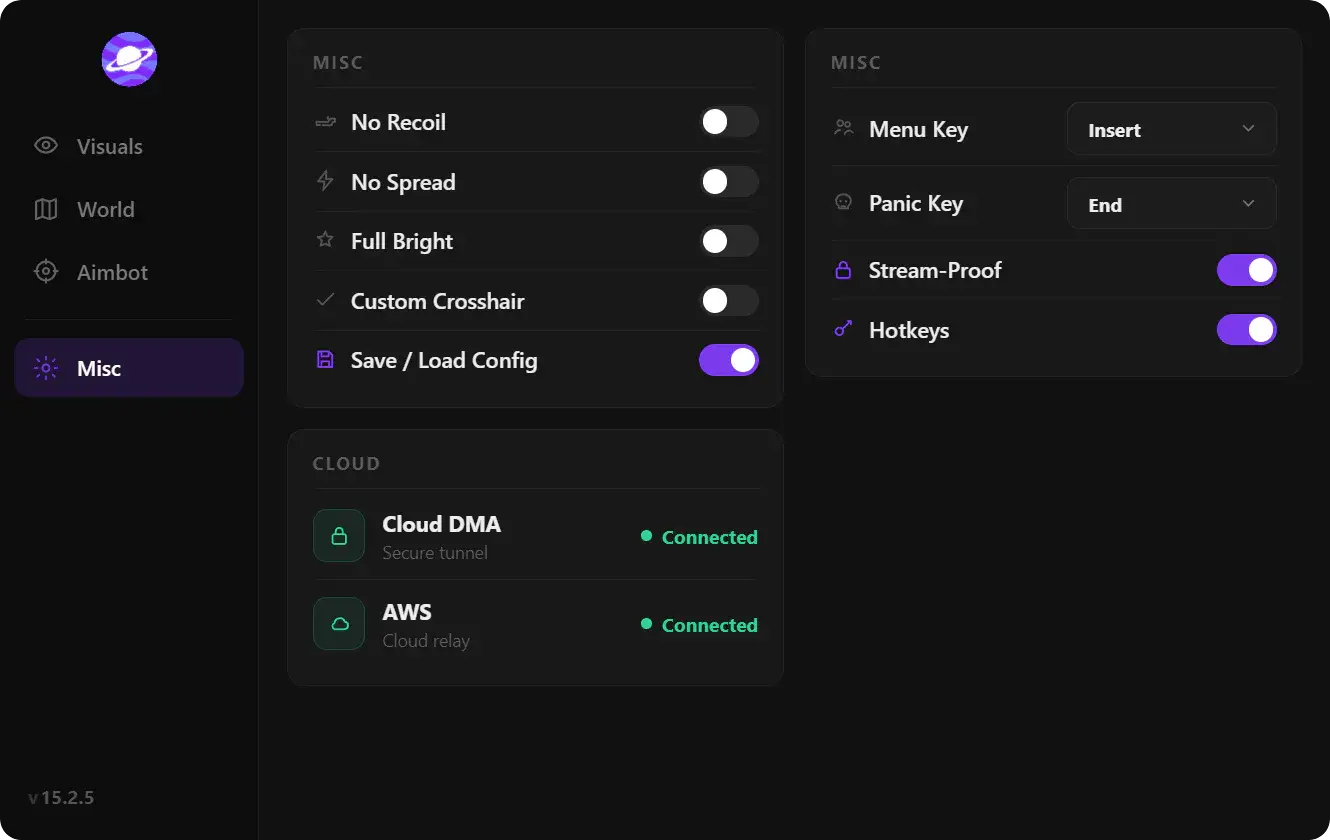
DayZ no clip is one toggle in Miscellaneous, next to Always Day, Local position, Thirdperson unlock, No grass, and Crosshair. This note names those rows. It does not walk through using them against other players, and it does not claim they are invisible to BattlEye. The list matches the loader feature list.
No clip and always day
No Clip is a movement toggle. Always Day forces daytime lighting. They solve different problems. No clip is the one people mean when they talk about passing geometry. Always day is a lighting switch so night is not required to see the scene. Leave no clip off unless you mean to use it. Leaving it on by accident is how a normal walk stops behaving like a walk. Neither row changes whether a report can be filed on an official server.
Position, camera, grass, and the crosshair
Local position shows your local position. Thirdperson unlock unlocks third person. No grass removes grass. Crosshair draws an overlay crosshair. These are visibility and camera rows. No grass can make prone players easier to see and can also make the ground look wrong, so treat it as a toggle you notice, not a default you forget. The overlay crosshair is not the aimbot cone. The cone, the bone, and the line to target live in the aimbot note. If the crosshair and the cone are both on, you are looking at two drawings.
What this group does not include
Player boxes, skeleton, and item in hands are Player ESP. Infected labels are Infected ESP. Cars and helicrash are World ESP. Item quality is Item ESP. Limit FPS, menu language, and save or load are Config, covered in the cheat menu note. Miscellaneous will not store the layout. If you like a no-grass plus always-day combination, save it from Config or the next launch can drop it.
- No clip and always day are separate toggles.
- Local position, third person, no grass, and the crosshair are the other four rows.
- Keep no clip off when you are not using it.
- Save from Config after the set looks right.
Movement and lighting toggles are still third-party features on a game that uses BattlEye. They are not a way to skip a review, and this page will not describe one. Read the status page when the Steam client changes and leave the loader closed when the note is for a different build. Then decide if these six rows are something you still want on the key you bought.